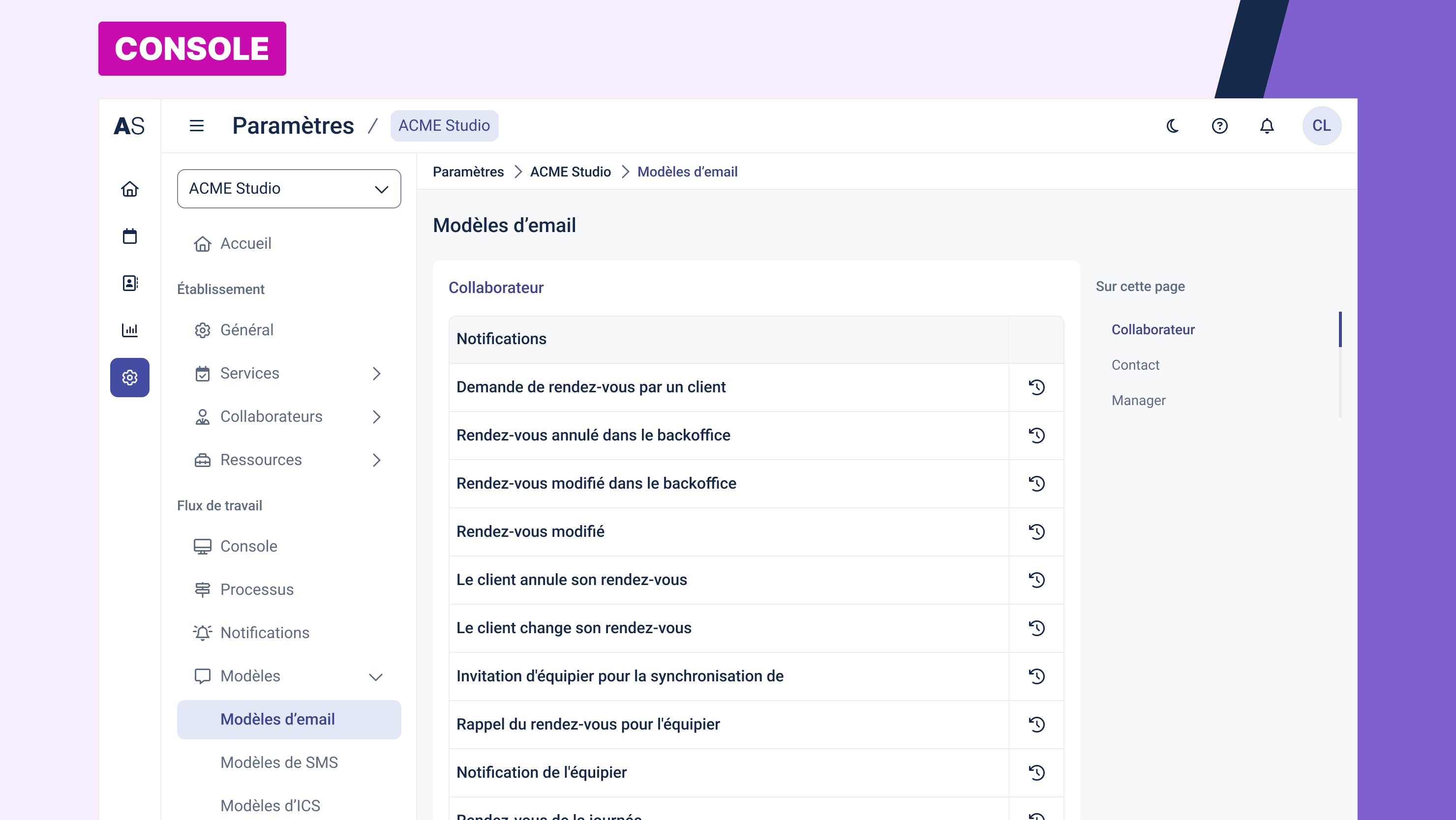
The Email Templates section allows you to customize the automatic emails sent by Agendize at different stages of the appointment lifecycle (booking, modification, cancellation, reminders, etc.).
Each recipient type (Staff, Client, Manager) has its own set of notifications with dedicated email templates.
Accessing the Screen
Left-hand menu → Settings → Templates → Email Templates
How It Works
The screen displays all available templates, organized by recipient category:
Staff (Collaborator)
Emails sent to staff members, such as:
Appointment requested by a client
Appointment canceled or modified by the client
Appointment canceled or modified via the back office
Appointment reminder
Staff calendar synchronization
Contact (Client)
Emails sent to clients to inform them throughout their booking journey:
Appointment confirmation, changes, or cancellation
Feedback request after the appointment
Earlier time slot available
Account creation
Payment request
Password recovery
Appointment accepted or declined (manual mode)
Manager
Notifications targeted at the account or location manager, including:
Appointment requests
Appointment changes or cancellations
Daily appointment summary
Account notifications
Appointment rejection
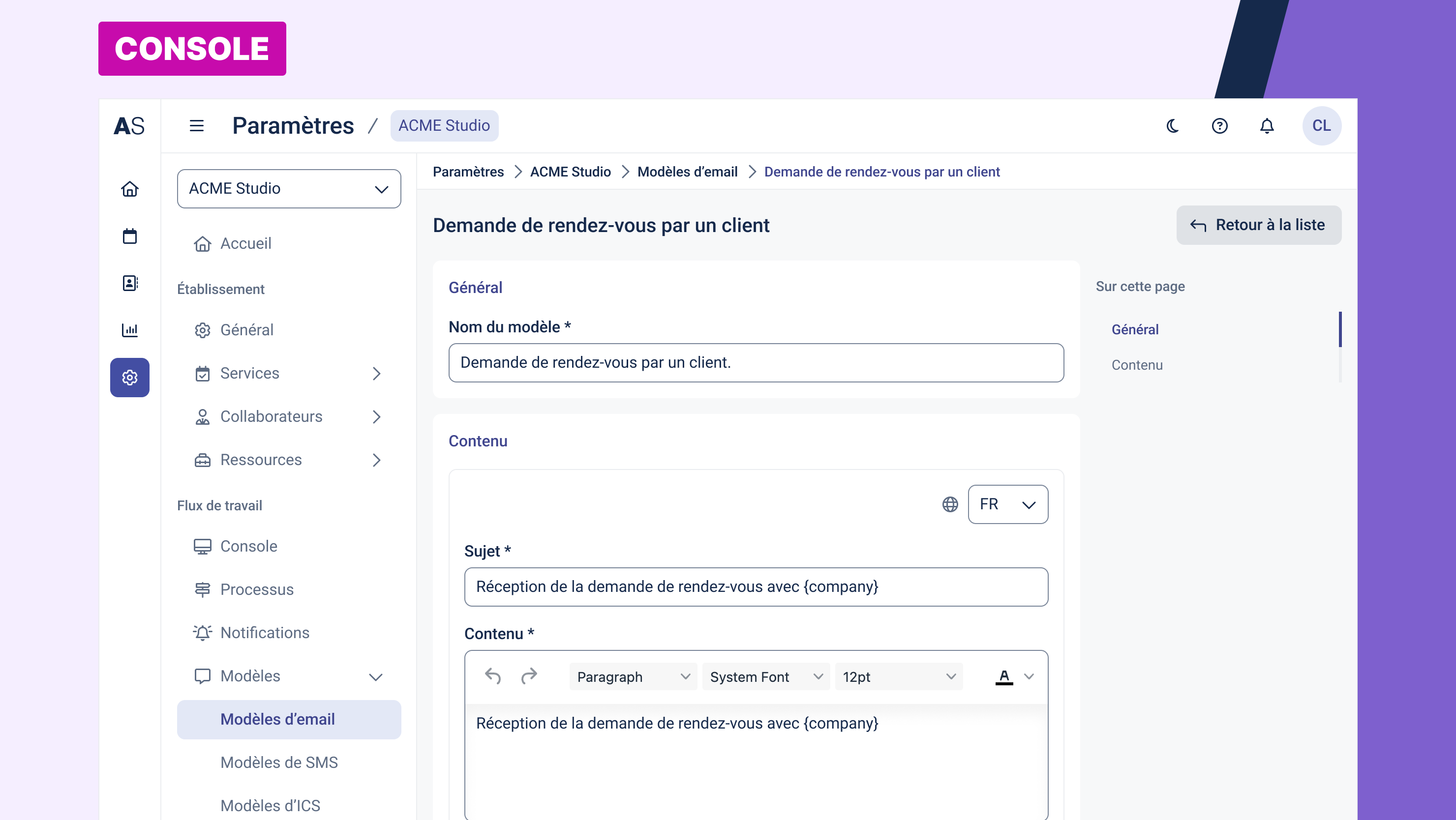
Editing an Email Template
To edit a template, click on the name of your template. This opens the template editor.
Inside the editor, you can:
Modify the email subject line
Customize the HTML and plain text content of the email
Insert dynamic variables (e.g., client name, appointment date)
Preview how the message will look
Set a new language (only if multiple languages are available on the account)
Best practices:
Use the predefined variables to ensure dynamic and personalized content.
Check your changes using the preview before saving.
Keep a consistent tone and structure, including key info like date, time, location, and management links.
Why Customize Email Templates?
Enhance communication with clients and staff
Adapt the tone and content to your industry (healthcare, wellness, real estate, etc.)
Include specific instructions or marketing content
Translate templates if you operate in multiple languages
Was this article helpful?
That’s Great!
Thank you for your feedback
Sorry! We couldn't be helpful
Thank you for your feedback
Feedback sent
We appreciate your effort and will try to fix the article